> For the complete documentation index, see [llms.txt](https://doc.barsoft.hu/llms.txt). Markdown versions of documentation pages are available by appending `.md` to page URLs; this page is available as [Markdown](https://doc.barsoft.hu/ipanel/ipanel-menupontok/muszak-jelentesek/vendegek.md).
# Vendégek
Később fizet vendégek statisztikája
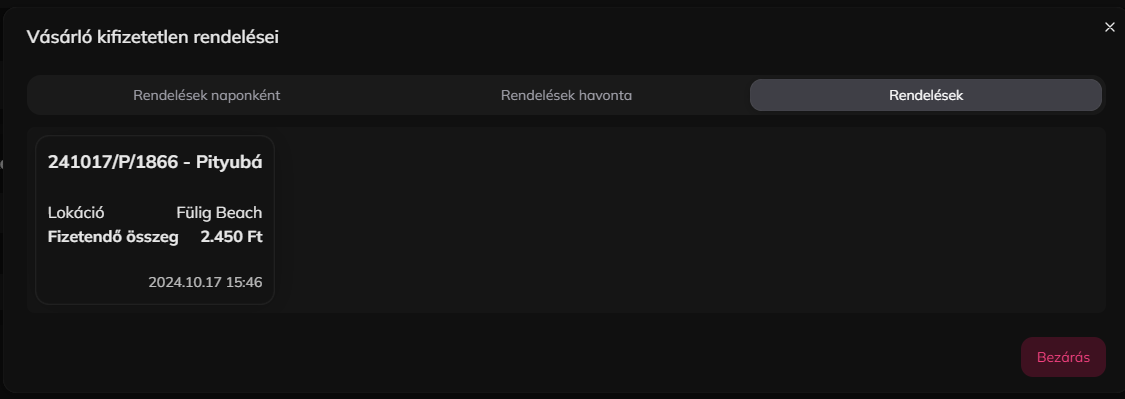
Ezen a felületen listázzuk ki a később fizető vendégeket, akiket rögzítettünk a POS-on, illetve ha van fizetetlen rendelésük, azoknak a mennyiségét és a fizetendő összegét is mutatjuk.
Részletesebb információt a "Megtekintés" gomb megnyomásával láthatunk a felugró ablakban.
A vásárló adatait a ceruza gombbal tudjuk szerkeszteni a felugró ablakban, illetve törölni is itt lehet.
Ezen felül az oldalon mutatunk még egy Lokációnkénti bontást is, ahol megtekinthetjük hogy melyik lokáción hány fizetetlen rendelés van és összesen mennyivel tartoznak a vendégek.